 Employee Benefits
 HR & Compliance
 Technology
 Wellness
 PEO Solutions

35% of employees regretted the choices they made during their last open enrollment, according to a 2026 survey of 622 employed U.S. adults reported by Selerix's employee benefits survey. That finding changes the job. An employee benefits enrollment guide shouldn't only explain deadlines and show people where to click. It should help employees choose coverage they understand, while giving HR a controlled process for configuring plans, validating elections, and reconciling payroll after the window closes.
Open enrollment has become routine in major employer markets. A 2019/2020 IFEBP survey found that 95% of responding organizations had an open enrollment period, including 99% of corporate or single-employer plans and 98% of public employer plans. Yet 77% started in October or November, and 52% ran for only two weeks, according to the IFEBP open enrollment overview. That compressed period leaves little room for unclear messages, broken integrations, or employee indecision.
A reliable process therefore has two outcomes: employees make informed choices, and the organization can prove that every election moved accurately from the enrollment platform to carriers and payroll. The guide below treats both outcomes as one operating system.
Table of Contents
- Why Most Open Enrollments Fail Employees
- Building Your Enrollment Timeline and Planning Checklist
- Designing Communications That Actually Get Read
- Comparing Plans and Setting Up Your Enrollment Platform
- Compliance Checkpoints and Common Enrollment Pitfalls
- Managing Benefits After the Enrollment Window Closes
- Turning Enrollment Into a Year-Round Benefits Strategy
Why Most Open Enrollments Fail Employees
Open enrollment can reach a strong completion rate while still producing poor decisions. HR teams often prioritize plan documents, deadline reminders, and portal configuration, then treat submitted elections as proof that the process worked. Employees may finish on time and still misunderstand deductibles, provider networks, spending accounts, or what happens after submission.
That is the decision-quality gap. Enrollment is complete only when employees understand what they chose, why it suits their household, and how to use the coverage when a medical or financial need arises. If they do not, the organization absorbs regret, avoidable support tickets, delayed care, payroll corrections, and declining trust in the benefits program.
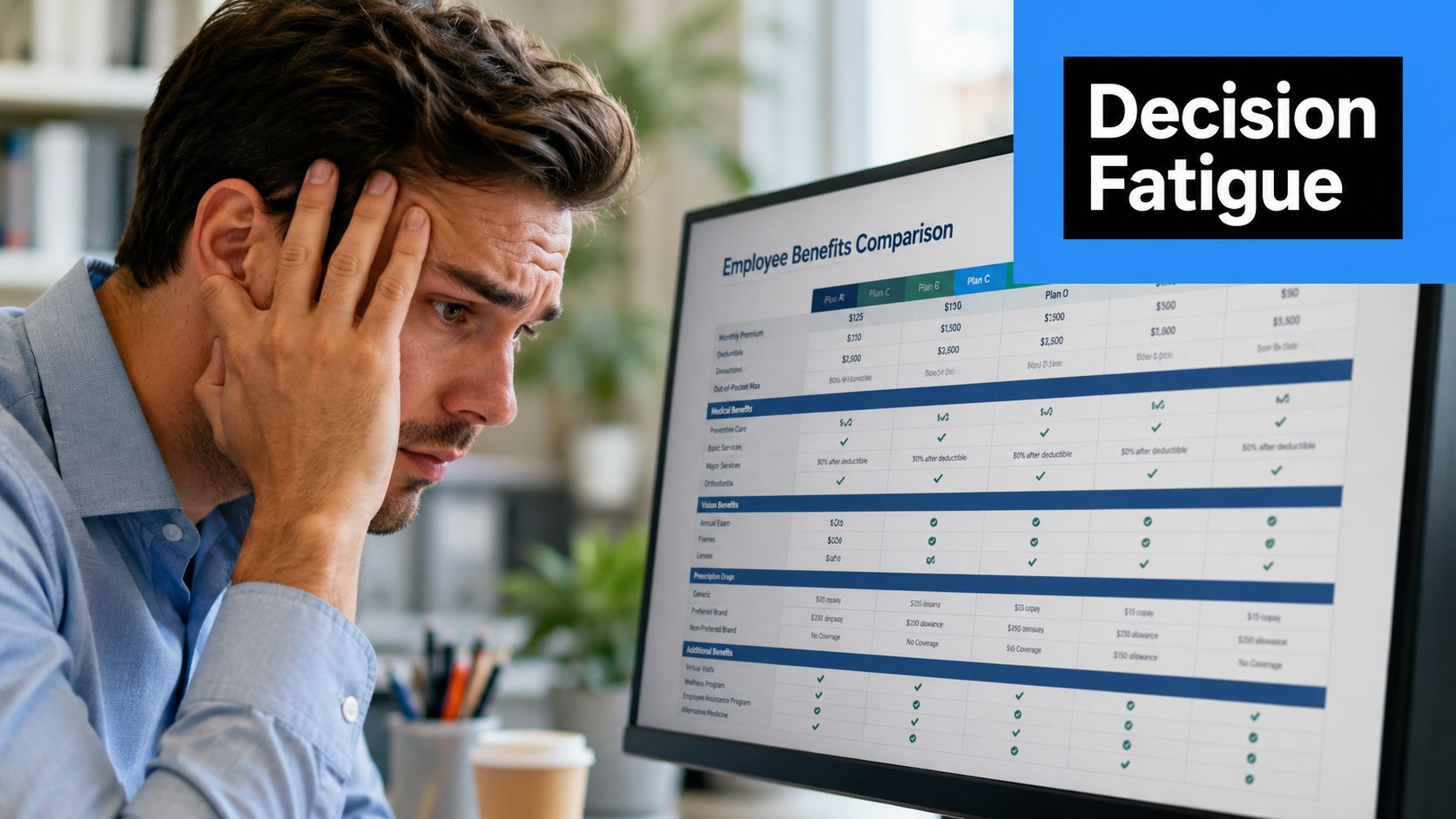
Employee attention is limited. 53% of employees spend less than one hour reviewing benefits information during open enrollment, according to HR Consulting Group's coverage of LIMRA findings. Accurate information still fails when employees cannot quickly find the comparison or answer that applies to them.
Completion isn't the same as comprehension
A 2025 survey found that only 27% of employees said they understood their benefits “perfectly”, while another worker survey found 53% regretted their open enrollment choices, as summarized by Selerix. Reported causes included failing to update coverage after life changes, missing the deadline, and misunderstanding the available options.
A useful employee benefits enrollment guide should answer four practical questions:
- What changed: Which plans, rates, networks, contribution rules, and eligibility conditions differ from last year?
- What fits: Which trade-offs matter for the employee's household, expected care, risk tolerance, and budget?
- What happens next: When do deductions begin, when does coverage take effect, and where can the employee get help?
- What is locked: Which elections cannot be changed after submission unless a qualifying life event applies?
Practical rule: Treat comprehension checks, life-event prompts, and deadline controls as process controls, not optional communications.
Design for the employee's real context
Employees do not approach benefits as specialists. A remote worker may need a mobile-first experience and clear digital support. A frontline employee may need manager-led reminders, printed prompts, or access outside a desk environment. The same audience discipline applies to employee onboarding for remote teams, where timing, channel choice, and clarity determine whether people can act on important information.
Strong programs translate insurance terms into decisions. Show how an employee might compare routine care, a prescription, an emergency, or a family member's ongoing treatment. Give greater attention to the choices that materially affect cost and access instead of presenting every plan feature with equal weight.
HR still needs complete legal and plan information, along with an audit trail for elections, carrier transmission, and payroll reconciliation. Employees need a usable path through that information. Those needs call for separate layers, such as a decision guide for employees and reference documentation for HR, carriers, and payroll. Combining everything into one dense document usually serves neither audience well.
Building Your Enrollment Timeline and Planning Checklist
Open enrollment should be managed like a controlled implementation, not a communications campaign that begins when the portal opens. The calendar needs decision points for plan design, carrier coordination, platform testing, employee education, and payroll validation.
Most employers follow the fall pattern. IFEBP reporting shows that 77% of organizations begin in October or November, with 34% beginning in October and 43% in November, as reported in IFEBP's enrollment timing guidance. If your window lasts only two weeks, every upstream dependency needs a firm owner and a buffer.
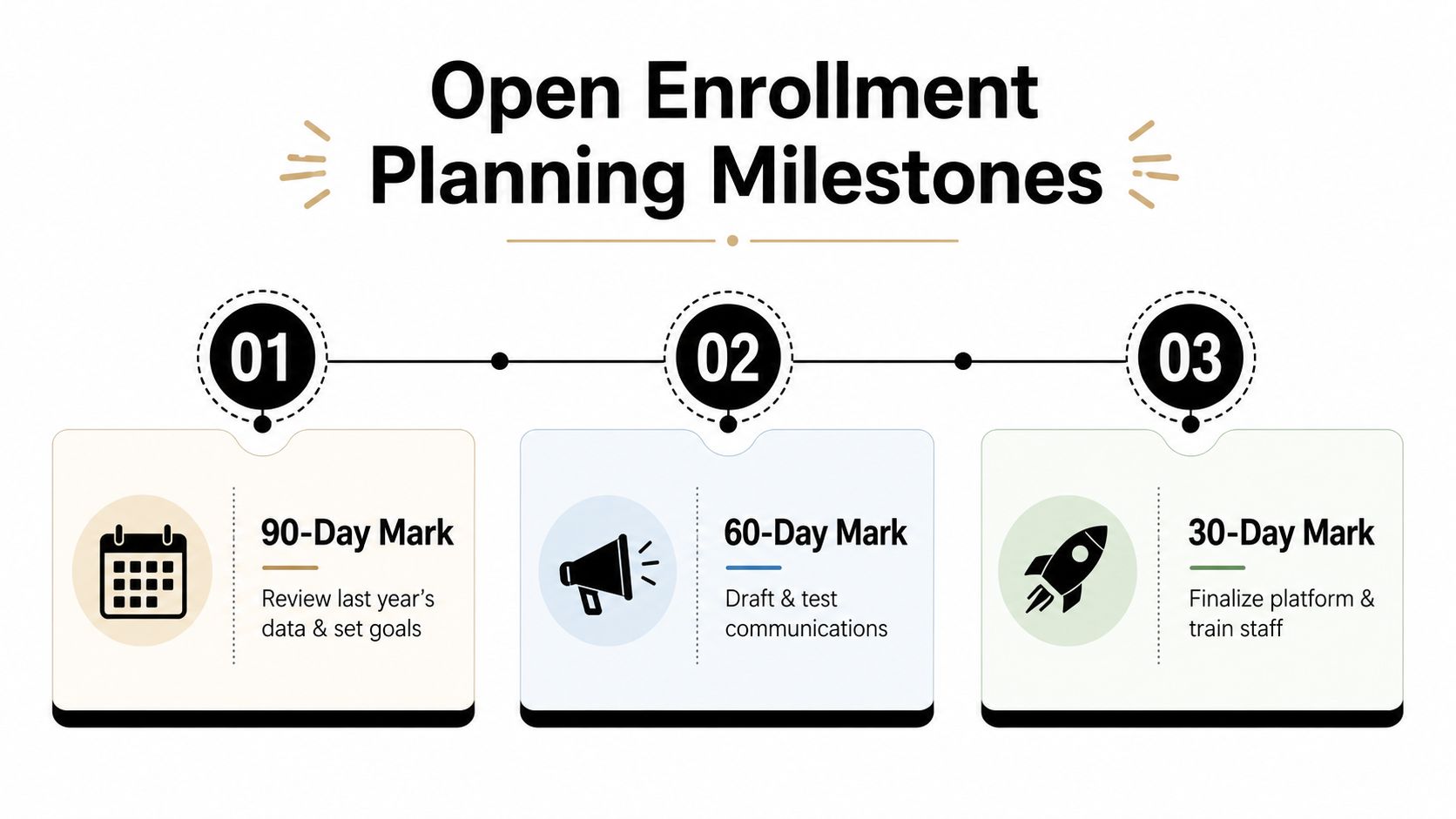
At the 90-day mark
Start with last year's evidence, not this year's assumptions. Review incomplete enrollments, support questions, carrier errors, payroll corrections, employee feedback, and elections by benefit category. Then decide what the process must improve, such as clearer plan comparisons, fewer manual corrections, or better support for employees who don't work at a desk.
At this stage, HR and leadership should:
- Confirm plan direction: Approve renewals, replacements, contribution strategy, eligibility rules, and any new voluntary benefits.
- Set carrier deadlines: Record final rates, contract requirements, plan documents, evidence of coverage materials, and feed specifications.
- Assign ownership: Name accountable leads across HR, payroll, finance, IT, communications, brokers, and vendors.
- Define controls: Decide who approves configuration, who tests employee scenarios, and who signs off on carrier and payroll files.
At the 60-day mark
Translate plan design into employee decisions. Draft the benefits guide, side-by-side comparisons, FAQs, calculators, manager talking points, and short explanations for high-confusion topics. Use plain language and test the materials with someone who doesn't work in benefits.
The communication calendar should identify the audience, channel, sender, action, and deadline for every message. It should also include a method for tracking questions so recurring confusion can trigger a revised FAQ rather than repeated one-off answers.
Use this open enrollment checklist for HR as a practical reference while building your own master schedule.
At the 30-day mark
Finish configuration and begin controlled testing. Test an employee with employee-only coverage, an employee adding dependents, an employee waiving coverage, an employee eligible for a spending account, and an employee affected by a different waiting or eligibility rule. Confirm rates, effective dates, deductions, confirmation statements, and carrier file outputs.
Train HR support staff before launch. They should know which questions they can answer, which require broker or carrier escalation, and how to document an issue without making an unauthorized promise.
A short planning video can help internal stakeholders align on the sequence:
The final pre-launch review should verify that the portal works on mobile, the deadline appears consistently, help channels are staffed, and backup procedures exist for access or integration failures.
Designing Communications That Actually Get Read
Benefits communications compete with payroll notices, operational updates, manager requests, and personal responsibilities. Employees won't study a message because HR spent weeks writing it. The message has to answer the employee's immediate question and make the next action obvious.
SHRM recommends reviewing employee life stages and benefits usage, packaging benefits for target groups, explaining the strategy behind plan design, and offering enrollment methods that are easy to complete. Its open enrollment communications guidance also supports early communication, repetition across channels, and practical tools such as FAQs, videos, charts, and calculators.
Segment the message, not the truth
The plan rules must remain consistent, but the explanation can vary by audience. A young employee choosing coverage for the first time needs a clear explanation of premiums, deductibles, networks, and spending accounts. An employee with dependents needs a household comparison. Someone approaching retirement may care more about coordination, continuity, and long-term financial exposure.
Segment by practical context rather than stereotypes. Useful groups may include hourly and salaried employees, remote and onsite teams, new hires, employees with dependents, and employees who historically leave elections incomplete. Managers can reinforce the message for workers who rarely check email, while a mobile notification can direct desk-based employees straight to the enrollment task.
Use a deliberate communication cadence
A strong cadence starts before the portal opens and becomes more specific as the deadline approaches:
- Early awareness: Explain the enrollment dates, what's changing, and why employees should review their elections.
- Decision support: Send one focused message at a time, such as how to compare medical plans or decide whether a spending account fits.
- Launch notice: Provide the platform link, completion steps, available support, and the exact deadline.
- Targeted reminders: Reach employees who haven't started or who haven't submitted, rather than sending identical reminders to everyone.
- Final notice: Put the consequence and deadline in the subject line and opening sentence, not at the bottom of a long email.
Digital self-service is now a central part of enrollment behavior. An Aflac trend report found that 62% of employees enrolled online in 2015, compared with 46% in 2011, and later surveys found that nearly 90% selected the same benefit options as the prior year, according to the Aflac enrollment infographic. The lesson isn't that digital tools solve decision quality. It's that a fast digital path needs prompts that interrupt passive repetition.
Write for scanning
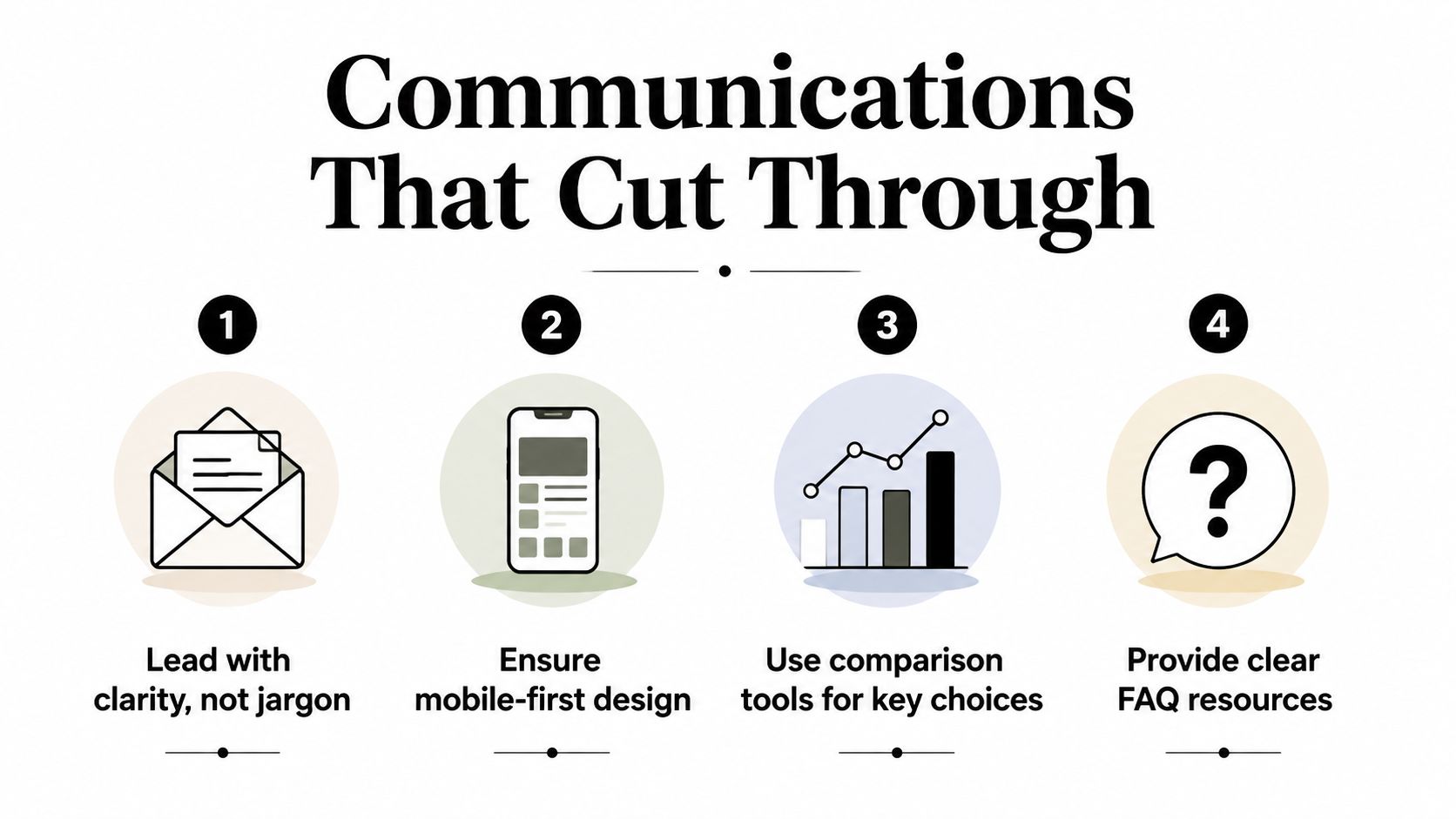
Put the decision first. “The medical plan now has a different deductible” is more useful than “Important annual benefits update.” Build a one-page comparison for major choices, define unfamiliar terms beside the relevant option, and link to deeper documents only after the basic decision is clear.
Keep a living FAQ. If several employees ask whether a dependent is eligible, whether an election rolls forward, or whether an FSA requires active selection, promote the answer into the main communication. A review of employee benefits communication mistakes can help HR teams audit whether their messages are clear, timely, and actionable.
Comparing Plans and Setting Up Your Enrollment Platform
Plan comparison starts with employee decisions, not carrier names. A lower premium may be attractive, but the relevant trade-off can change when an employee considers provider access, deductible exposure, prescription needs, family coverage, employer contributions, and the practical likelihood of using care.
Create a side-by-side view that separates fixed and variable costs. Employees should be able to see payroll deductions, deductible, out-of-pocket exposure, network rules, referral requirements, and account eligibility without opening several documents. For supplemental benefits, explain the event or risk the coverage addresses instead of relying on product labels.
A platform also needs to protect the employer from operational ambiguity. Automated eligibility rules, decision support, budget controls, electronic confirmations, and payroll connectivity matter because each manual handoff creates another opportunity for an incorrect election.
| Feature | Why It Matters | What to Look For |
|---|---|---|
| Plan comparison | Employees need to evaluate trade-offs quickly | Side-by-side premiums, deductibles, networks, copays, and account eligibility |
| Decision support | Employees often need help interpreting plan differences | Plain-language prompts, cost scenarios, FAQs, and calculators |
| Eligibility rules | Incorrect eligibility can create carrier and payroll problems | Rules based on employment status, dependents, waiting periods, and plan terms |
| Enrollment workflow | A confusing sequence causes incomplete elections | Guided steps, visible progress, clear waiver handling, and confirmation |
| Integrations | HR must move accurate data to payroll and carriers | Tested file or API connections, exception reporting, and audit history |
| Administration controls | HR needs to monitor completion and correct issues | Progress dashboards, role-based access, approvals, and exportable records |
Compare platform trade-offs honestly
A standalone enrollment portal may be sufficient when plan choices are limited and payroll connectivity is simple. It can become difficult when HR has to maintain separate employee records, carrier files, and deduction tables. An integrated system reduces handoffs, but it still requires careful configuration, testing, and ownership. Integration doesn't remove accountability.
A broker-led process can provide valuable plan expertise and employee education. A technology-first process can improve speed and visibility. Many organizations need both, with the broker advising on plan design and the platform controlling the employee workflow and data movement.
For teams evaluating a digital administration option, Benely's employee benefits enrollment software describes capabilities for comparing plans, supporting online elections, tracking progress, and connecting benefits administration with related HR operations. Present any platform to employees through the lens of what they can understand and complete, not through a list of vendor features.
Plan governance also depends on geography. A team working across countries should separate U.S. enrollment rules from local requirements, and resources such as designing compliant UK benefits plans can provide context for organizations designing benefits outside the U.S. The platform should reflect the actual legal and contractual structure rather than forcing every population into one template.
Compliance Checkpoints and Common Enrollment Pitfalls
Compliance failures usually start with an operational detail: a missed deadline, an outdated eligibility rule, an incorrect deduction, or an assumption that a prior election still reflects an employee's current choice. The decision-quality gap matters here. Employees need clear rules for choices they will live with, while HR needs evidence that every transaction was handled correctly.
For U.S. employees buying coverage through the federal ACA Marketplace, the open enrollment window runs from November 1 through January 15. HealthCare.gov guidance summarized by ADP's benefits enrollment resource states that enrolling by December 15 can allow coverage to begin January 1, while enrollment by January 15 can result in a February 1 start. Employer-sponsored plan dates may differ, so publish the applicable dates for each employee population.
Audit the rules before employees enter the system
Employees generally cannot change coverage outside open enrollment unless a qualifying life event applies, such as marriage or the birth of a child, as explained in Namely's open enrollment guidance. Document the event, confirm eligibility, apply the relevant plan rule, and retain the supporting record. A verbal approval without a traceable record creates avoidable disputes later.
For 2026, the Health FSA limit is $3,400, with a $680 carryover. Spending account rules may require active annual elections even when other benefits roll forward, so state that requirement in unmistakable language.
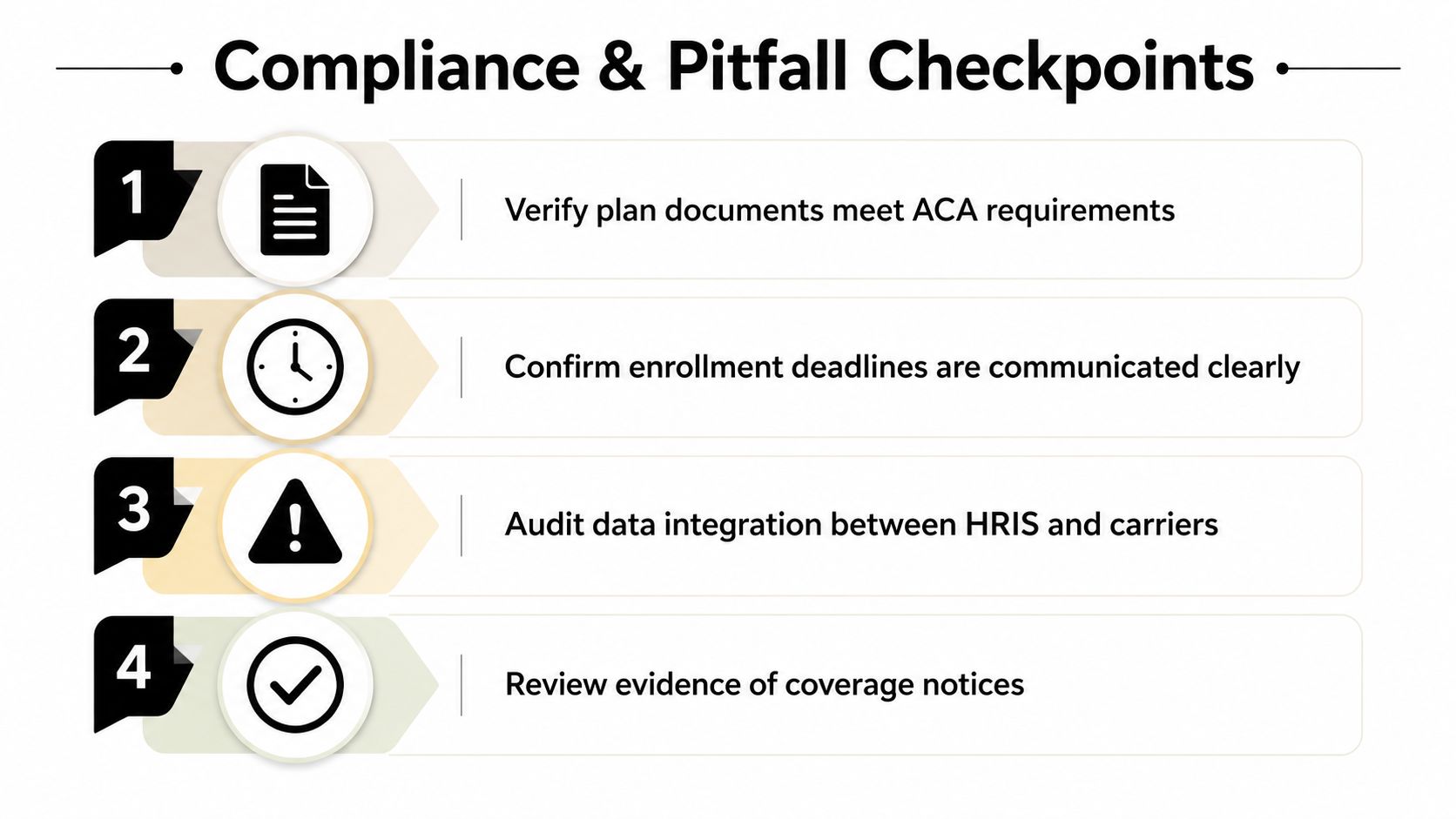
Use this audit list before launch:
- Verify plan documents: Confirm summaries, notices, rates, eligibility, and contribution rules match the configured plans.
- Test life-event handling: Walk through marriage, birth, loss of other coverage, and dependent changes with the responsible administrator.
- Confirm deadline ownership: Record the employee deadline, carrier submission deadline, payroll cutoff, and escalation contact.
- Review passive enrollment: Identify which elections roll forward and which require active re-selection.
- Reconcile integrations: Compare HRIS eligibility, platform elections, carrier files, and payroll deductions.
- Preserve evidence: Keep confirmation records, approvals, correction logs, and notices in an accessible audit trail.
Watch for operational traps
Duplicate elections can appear when an employee starts a transaction, changes coverage, and submits through a second path. A missed carrier deadline can leave HR without a clean way to correct an effective-date problem. Passive enrollment may carry forward coverage that no longer fits an employee, while spending accounts can remain unselected when employees assume every benefit continues automatically.
Payroll errors deserve particular attention. A correct platform election still causes harm if the deduction table is stale or the effective date is wrong. Before the first payroll affected by new elections, compare a sample of employee confirmations with payroll output. Resolve every exception before deductions run, and record the correction so the same issue does not recur.
Managing Benefits After the Enrollment Window Closes
The enrollment window closes for employees, but it opens a new operating phase for HR. The first responsibility is reconciliation. Compare submitted elections with carrier acceptance records, payroll deductions, eligibility files, and confirmation statements. Don't wait for an employee to notice a missing dependent or an incorrect deduction.
Build a post-enrollment control cycle
Start with exception reports. Look for employees who began but didn't submit, dependents missing required information, elections rejected by a carrier, coverage waived unexpectedly, and deductions that don't match the confirmed election. Assign every exception to a person with a due date and resolution note.
Passive enrollment needs a separate review because the employee may not take action at all. Confirm which plans roll forward, which require active election, and whether the system clearly communicated that distinction before the deadline. Spending accounts deserve particular attention because an employee may expect an account to continue when the plan requires a new annual selection.
Qualifying life events create year-round work. HR should maintain a consistent intake process, document the event, verify the permitted change, and communicate the effective date and payroll impact. A simple workflow prevents employees from receiving inconsistent answers from HR, payroll, and managers.
Keep the benefits experience alive
Post-enrollment support shouldn't be limited to fixing errors. Send employees practical reminders about where to find plan documents, how to contact carriers, how claims questions are handled, and what changes require HR approval. These messages turn a one-time election into usable coverage.
A short employee survey and an internal debrief can capture confusion while it's still fresh. Track recurring questions, correction types, and unresolved carrier issues. The next enrollment cycle should begin with those findings, not with a blank project plan.
Turning Enrollment Into a Year-Round Benefits Strategy
The strongest benefits programs treat open enrollment as a checkpoint in a continuous employee experience. The annual window still requires disciplined planning, but decision quality improves when employees learn how their plans work before a deadline forces them to choose.
Start with a process review. Ask employees where they became uncertain, which terms confused them, and whether they knew whom to contact after submitting elections. Ask HR and payroll which corrections consumed time and which integrations required manual intervention. Then use those answers to simplify the next guide, improve the platform workflow, and strengthen year-round education.
A practical employee benefits enrollment guide should leave behind more than completed forms. It should give employees a clear record of their choices, a usable explanation of trade-offs, and instructions for handling life changes. It should give HR a documented timeline, tested controls, reliable integrations, and a post-enrollment reconciliation plan.
The goal isn't to add more content. It's to remove friction at the moments that affect decisions and trust. Review your current process, identify the largest navigation gap, and fix that gap before the next enrollment window opens.
Benely helps employers compare health plans, support employee elections, track open enrollment progress, and connect benefits administration with payroll, onboarding, and compliance workflows. Visit Benely to review how a connected benefits process can help your team improve decision support while keeping enrollment operations controlled.