 Employee Benefits
 HR & Compliance
 Technology
 Wellness
 PEO Solutions
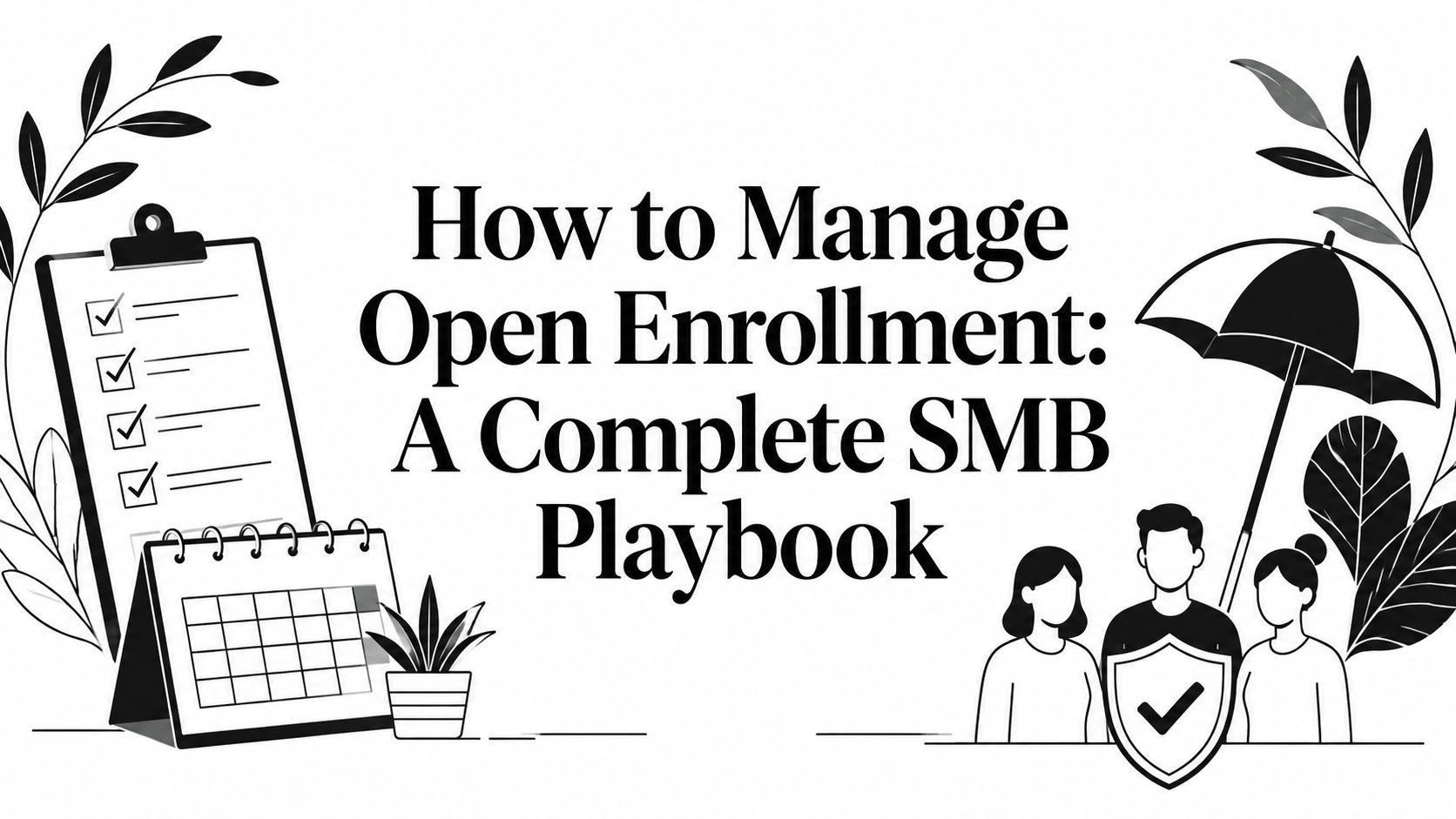
Six weeks before open enrollment, the warning signs are familiar. Renewal information is still sitting with the broker, last year's utilization data hasn't been reviewed, the enrollment platform hasn't been tested, and employees are already asking whether their doctors and prescriptions will remain covered. HR responds by drafting another email, scheduling a rushed webinar, and hoping employees finish before the deadline.
That approach treats open enrollment as a communication event. Effective open enrollment management treats it as an operating process with decisions, controls, owners, and exception paths. The practical question isn't how many reminders you can send. It's whether employees can make informed choices, whether elections flow correctly into payroll and carrier systems, and whether your team knows what to do when something goes wrong.
Table of Contents
- Why Most Open Enrollments Fail Before They Start
- Building Your 90-Day Open Enrollment Timeline
- Navigating Compliance Notices and Required Deadlines
- Reducing Decision Overload for Employees
- Troubleshooting Common Enrollment Failures
- Measuring Success and Planning for Next Year
Why Most Open Enrollments Fail Before They Start

The chaos usually starts before the enrollment window opens. An HR manager discovers that a carrier changed a plan design, a payroll deduction table still reflects the prior year, and the benefits guide uses language that no longer matches the enrollment platform. Employees then receive messages before the company has settled the answers behind them.
A short enrollment period magnifies every unfinished decision. Employer research from the International Foundation of Employee Benefit Plans found that 95% of responding organizations have an open enrollment period, 77% start in October or November, and 52% keep enrollment open for only two weeks. LIMRA's employee enrollment findings also indicate that participation isn't automatic. Among surveyed workers whose employers offered an enrollment period, only about one in three enrolled in or changed insurance benefits.
Those facts point to a planning problem, not an email problem. Employees have limited time, and many won't act because information exists. If plan changes are unclear, choices look interchangeable, or the platform creates friction, employees postpone the decision until the final days. HR then spends its time answering preventable questions instead of managing exceptions and validating data.
The reactive pattern
Reactive teams begin with the enrollment launch date and work backward. They ask the broker for materials, copy last year's FAQ, send a broad announcement, and start tracking completion only after employees report problems. This pattern feels efficient because it delays work, but it pushes plan validation, compliance review, and stakeholder decisions into the most pressured part of the cycle.
A proactive team starts with the decisions that must be locked before communication begins:
- Plan changes: Confirm what changed in design, network, rates, eligibility, contributions, and covered services.
- Employee needs: Review utilization themes, prior questions, and feedback instead of assuming last year's materials still fit.
- System readiness: Confirm that eligibility rules, deductions, dependent data, effective dates, and election logic match the approved plan documents.
- Ownership: Assign clear responsibility to HR, payroll, finance, managers, the broker, carriers, and the enrollment vendor.
Practical rule: Don't announce choices you haven't validated. A polished message can't repair an incorrect plan setup.
The 90-day mindset
A workable plan begins roughly 90 days before launch, with time for review, decisions, preparation, testing, communication, and post-launch monitoring. The first phase should produce answers, not publicity. The final phase should produce clean elections and documented exceptions, not just a high number of completed screens.
The success standard is broader than completion. A strong process reduces partial elections, payroll corrections, employee confusion, missed notices, and last-minute manual work. That's why the best answer to how to manage open enrollment starts with project discipline.
Building Your 90-Day Open Enrollment Timeline
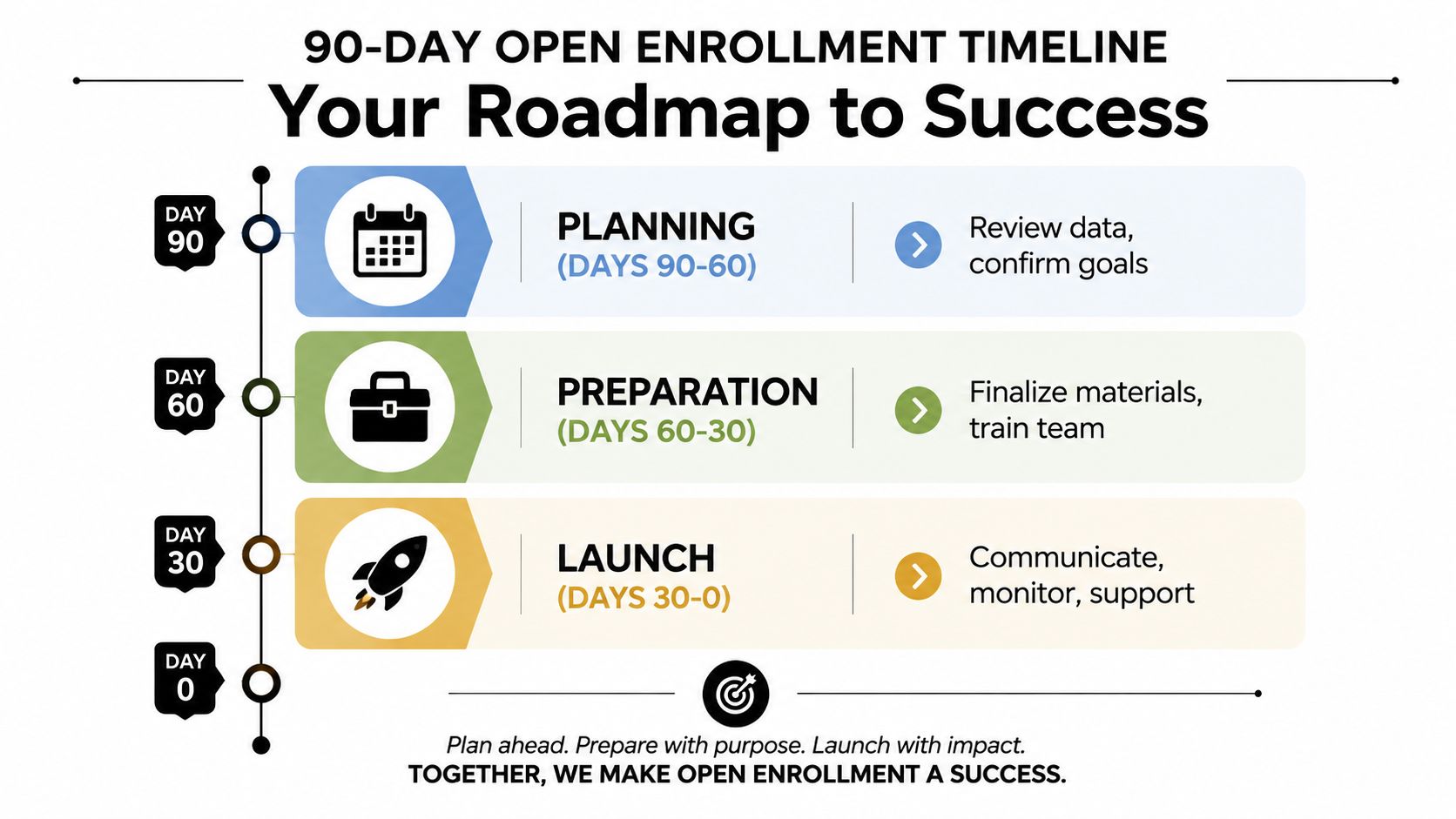
Open enrollment works better when each phase has a defined output. The calendar should show not only what HR will do, but also which decisions must be approved before the next phase begins.
Days 90 to 60 for planning
Start with evidence from the prior cycle. Review utilization data, recurring employee questions, election patterns, payroll corrections, carrier issues, and feedback from managers. Ask what employees struggled to understand, which plan comparisons generated confusion, and where the team had to intervene manually.
Meet with the broker and carriers early enough to assess renewal changes and confirm the decision calendar. Finance should understand contribution scenarios, payroll should review deduction implications, and HR should validate eligibility rules and employee data. If you use an enrollment platform, involve the vendor before configuration work becomes urgent.
Set the project goals during this phase. You might focus on cleaner payroll files, fewer incomplete elections, better employee understanding, or faster exception resolution. Keep the goals operational and measurable within your own process. Don't choose a target just because it sounds impressive.
Days 60 to 30 for preparation
By this point, the plan options and contribution structure should be moving toward approval. Build a communication calendar that sequences information rather than releasing everything at once. Employees usually need a clear explanation of what changed, a comparison of available plans, instructions for taking action, and a way to ask questions.
Use the next few weeks to prepare the operating materials:
- Decision guide: Explain the meaningful differences among plans, including costs, networks, deductibles, and practical use cases.
- FAQ: Base answers on actual recurring questions, not a generic benefits glossary.
- Manager brief: Give managers approved language and an escalation route. They shouldn't improvise answers about eligibility or coverage.
- Support plan: Define office hours, one-on-one help, vendor escalation contacts, and response expectations.
- Data validation: Test employee eligibility, dependents, plan mappings, contribution amounts, and payroll outputs.
A useful open enrollment checklist for HR can help turn these activities into assigned tasks instead of a collection of reminders in someone's inbox.
Days 30 to launch
The 30-day mark is the control point. Distribute the notices that must accompany enrollment, complete platform testing, confirm the final employee population, and train anyone who'll answer questions. Test the experience from an employee's perspective, including mobile access if your workforce is distributed.
Run test cases for new elections, waivers, dependent changes, eligibility differences, and incomplete submissions. Verify that the platform's confirmation screen makes the final status obvious. An employee who believes an election saved when it didn't creates a problem that may surface only after payroll or coverage begins.
Launch through close
Once enrollment opens, replace broad monitoring with daily tracking. Separate employees who haven't started from those who started but haven't completed their elections. The second group deserves urgent attention because partial elections can create incorrect coverage or payroll deductions, making them a greater operational and compliance risk than employees who never begin. This workflow is also emphasized in the open enrollment survey playbook.
Send targeted reminders based on status and unresolved actions. Keep a daily issue log with the employee, problem, owner, vendor ticket, deadline, and resolution. That record gives HR a defensible process when an exception needs review.
A short training video can reinforce the workflow for managers and administrators:
Navigating Compliance Notices and Required Deadlines
Compliance work fails when teams treat notices as attachments to a benefits guide. Each document has its own audience, timing, and delivery logic. Assign an owner, confirm the applicable plan and employee population, retain evidence of distribution, and reconcile the notice calendar with the enrollment calendar.
The Summary of Benefits and Coverage, or SBC, is a central checkpoint. ACA rules require plans and issuers to provide it to applicants and enrollees at open enrollment or renewal. If employees must make affirmative elections, Lockton's timing guidance says the SBC should be provided on the first day of open enrollment. If automatic re-enrollment applies and employees don't need to elect coverage, it should be provided 30 days before the beginning of the plan year, as summarized in required employer notices for calendar-year plans.
Marketplace timing creates another useful comparison. HealthCare.gov uses November 1 through January 15 as the federal Open Enrollment window, with December 15 as the last day to enroll or change plans for coverage beginning January 1, assuming the first premium is paid. Some states extend the window. California, New Jersey, New York, Rhode Island, and Washington, DC run through January 31, while Massachusetts closes January 23. Employers and brokers should verify the applicable jurisdiction rather than copy a federal date into every communication.
Required notice control table
| Notice Type | Distribution Deadline | Applies To |
|---|---|---|
| Summary of Benefits and Coverage | First day of open enrollment when affirmative elections are required, or 30 days before the plan year for automatic re-enrollment | Applicants and enrollees in applicable health plans |
| Medicare Part D creditable coverage notice | October 15 each year | Medicare-eligible participants |
| Women's Health and Cancer Rights Act notice | At initial enrollment and annually thereafter | Participants in applicable group health plans |
| CHIP notice | At initial enrollment and annually thereafter | Employees and families covered by applicable plans |
| ACA Exchange notice | At hiring for new employees, with the federal guidance summarized by Lawley requiring distribution to every employee regardless of enrollment status or full-time or part-time status | All employees |
The Medicare timing and recurring notice obligations are summarized in open enrollment compliance guidance from Paycor. For teams building a broader compliance calendar, compliance content from HR Management 365 can provide additional context, although U.S. employers still need to validate requirements against the applicable federal and state rules.
COBRA administration needs its own workflow. Keep election notices, qualifying-event records, and delivery evidence separate from ordinary enrollment communications. Use this COBRA notice requirements guide as a process reference, then confirm the rules with your benefits counsel or administrator.
Reducing Decision Overload for Employees
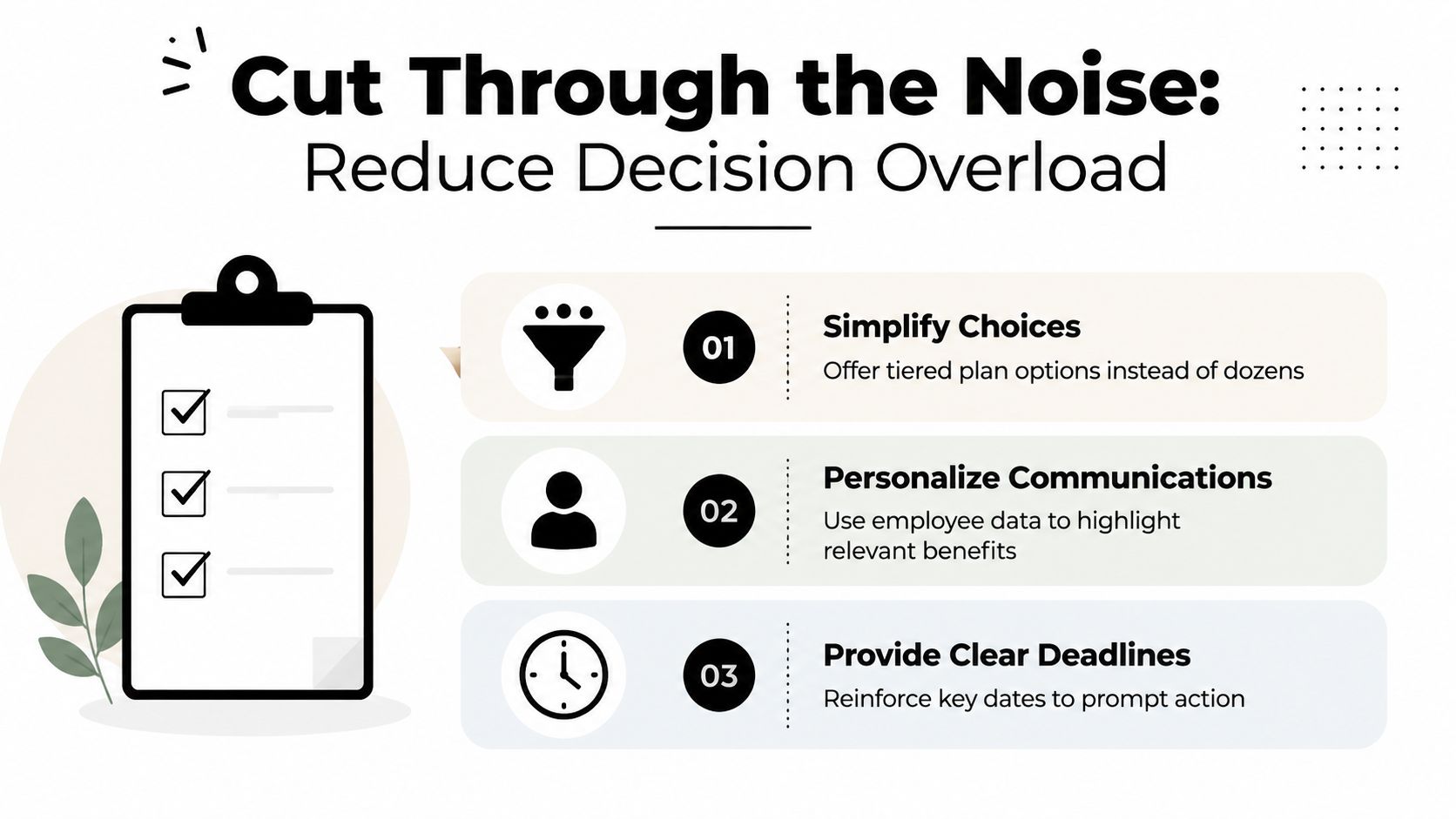
More communication doesn't automatically create better decisions. Employees can receive a benefits guide, several emails, a webinar invitation, a reminder, and a manager message, yet still not know which plan fits their situation. The problem is often decision architecture, not information scarcity.
Start by asking employees what makes the choice difficult. Use a short survey or focus groups to identify priorities such as predictable costs, provider access, prescription coverage, family needs, or flexible spending options. A resource on benefits satisfaction survey questions can help you structure questions that produce usable feedback rather than vague approval scores.
Track questions during the preparation period and during enrollment. If employees repeatedly ask whether a deductible applies before coverage, whether a dependent qualifies, or whether an account renews, those questions belong in the main decision path. A generic FAQ that defines insurance terms but ignores those recurring concerns won't reduce HR workload.
Design the choice, don't just describe it
Employees should be able to narrow options quickly. Use a side-by-side comparison that highlights the few differences likely to change a decision, then provide deeper documents for employees who want technical detail. Organize plans by practical fit, such as lower predictable payroll cost, broader provider flexibility, or stronger protection from large claims, while making clear that the employer isn't making a personal medical recommendation.
A default recommendation can be useful when it's transparent and easy to change. Explain why a plan appears as the suggested option, identify the assumptions behind it, and require employees to review the consequences before confirming. A default that hides meaningful trade-offs is not decision support. It's silent steering.
Proactive issue detection matters just as much. Flag an employee who has selected a plan but skipped a required dependent verification step, chosen an incompatible account, or left a critical election incomplete. Put the warning beside the action, not in a separate email that employees may never connect to the problem.
Treat passive renewal as an active review
“No action” sounds simple, but it can hide changes. Recent benefits guidance warns that passive renewal may mask plan removals or FSA non-renewal, leaving employees with the mistaken impression that an existing election will continue safely. If a benefit changed, require an acknowledgment or affirmative review, even if the employee can ultimately retain coverage without changing the election.
The right enrollment experience doesn't make every choice disappear. It makes the important choices impossible to miss.
A good test is whether an employee can answer three questions without opening multiple documents: What changed, which option fits my priorities, and what must I do before the cutoff? If the answer is no, add guidance at the decision point instead of adding another general announcement.
Troubleshooting Common Enrollment Failures
The first mistake during an enrollment problem is treating every issue as a general help-desk ticket. Triage by risk, deadline, and system state. An incomplete election, a missed deadline, and a carrier file delay require different owners and different evidence.

Start with the employee record
For each issue, verify the employee's eligibility, employment status, plan eligibility, dependent information, election history, confirmation record, and relevant timestamps. Don't rely on a screenshot or an employee's memory when the platform audit trail can show whether an election was submitted.
Classify the case:
- Started but not finished: Contact the employee quickly, identify the missing action, and confirm the final election before the window closes. Partial elections can create incorrect coverage or deductions, so escalate them ahead of ordinary non-starters.
- Missed the deadline: Don't promise an exception immediately. Review the plan rules, the reason for the missed deadline, system records, and whether a Special Enrollment Period or qualifying event applies.
- Qualifying life event: Verify the event, supporting documentation, eligibility window, requested effective date, and required election changes. Apply the applicable rules consistently and document the decision.
- Platform or carrier issue: Preserve the error message, time of occurrence, affected employee, and attempted action. Open a vendor ticket, assign an internal owner, and record the escalation path.
Handle regional exceptions deliberately
Hybrid workforces make one-size-fits-all policies risky. California state employees, for example, have a defined open enrollment period with changes taking effect the next year, while changes outside open enrollment generally require a qualifying event and must be made within a limited period afterward, according to the California state employee open enrollment FAQ.
Marketplace coverage has its own rules. Missing the annual window may mean waiting for the next cycle unless a Special Enrollment Period applies, and state deadlines can differ from the federal calendar. Keep a jurisdiction matrix that identifies the employee's governing program, applicable deadline, qualifying-event rule, required evidence, and final decision owner.
Close the loop
Every exception should end with a written outcome. Tell the employee what was approved or denied, the effective date, any payroll impact, and the next action. Then reconcile the platform, carrier file, payroll record, and employee confirmation. A verbal fix that never reaches the system is not a fix.
Measuring Success and Planning for Next Year
Enrollment isn't finished when the platform closes. The post-enrollment period is when HR can see whether the process worked or merely survived.
Begin with a reconciliation, not a survey. Compare completed elections with payroll deductions, carrier submissions, eligibility records, waived coverage, dependents, and unresolved vendor tickets. Look for mismatches that could create coverage or payroll problems at the start of the plan year.
Then review the employee experience. Useful measures include:
- Participation: Who enrolled, changed coverage, waived coverage, or never began?
- Completion quality: How many employees started but failed to finalize elections?
- Question patterns: Which questions appeared repeatedly, and which answers required HR intervention?
- Error trends: Where did eligibility, deductions, dependent verification, or carrier processing break?
- Experience feedback: Did employees understand the changes, compare options, and complete the process confidently?
Avoid turning these measures into a vanity dashboard. A high completion count can coexist with poor decision quality if employees selected plans without understanding changes or if HR corrected records manually after close.
Capture the operating memory
Hold a short review with HR, payroll, finance, managers, the broker, carriers, and the platform provider. Ask each group to identify one process that reduced friction, one failure that consumed time, and one control that should be added before the next cycle.
Document the answers while the details are fresh. Save the final timeline, notice evidence, approved communications, issue log, platform test results, reconciliation findings, and employee feedback. A structured employee benefits survey process can help turn reactions into comparable input for future planning.
Finally, convert the findings into next year's 90-day plan. If employees asked the same question repeatedly, redesign the decision guide. If partial elections created risk, change the platform workflow and escalation rule. If payroll reconciliation took too long, add an earlier test file and a named owner. The objective isn't to run the same enrollment more efficiently. It's to remove the causes of confusion before they return.
Benely helps SMBs manage open enrollment through plan comparison, enrollment-progress tracking, custom employee guides and videos, and virtual or in-person enrollment support. Visit Benely to evaluate a more connected way to manage benefits decisions, compliance tasks, and employee elections.