More than 90% of employers now use a technology system or platform for at least one HR or benefits function, and 68% of workers completed their latest open enrollment digitally in 2022. For a small business, that means the old mix of paper forms, spreadsheets, and carrier logins is already the exception, not the rule.
You can feel that shift when deadlines get close. One manager is chasing missing elections, another is rekeying dependent data, and payroll is waiting on a file that doesn't quite match the last census export.
Table of Contents
- Why Open Enrollment Software Matters Now
- Core Features of Modern Enrollment Platforms
- Beyond Completion – Post-Enrollment Engagement
- Comparing Deployment Models and Integration Depth
- How Enrollment Connects to Payroll and Compliance
- How to Evaluate and Choose the Right Platform
- Implementing Enrollment Software with Benely
Why Open Enrollment Software Matters Now
After enrollment closes, the work often gets harder. An employee notices that a dependent was omitted, a carrier requests a corrected eligibility record, and payroll needs a deduction change before the next run. The deadline created a moment of completion, not a reliable year-round record.
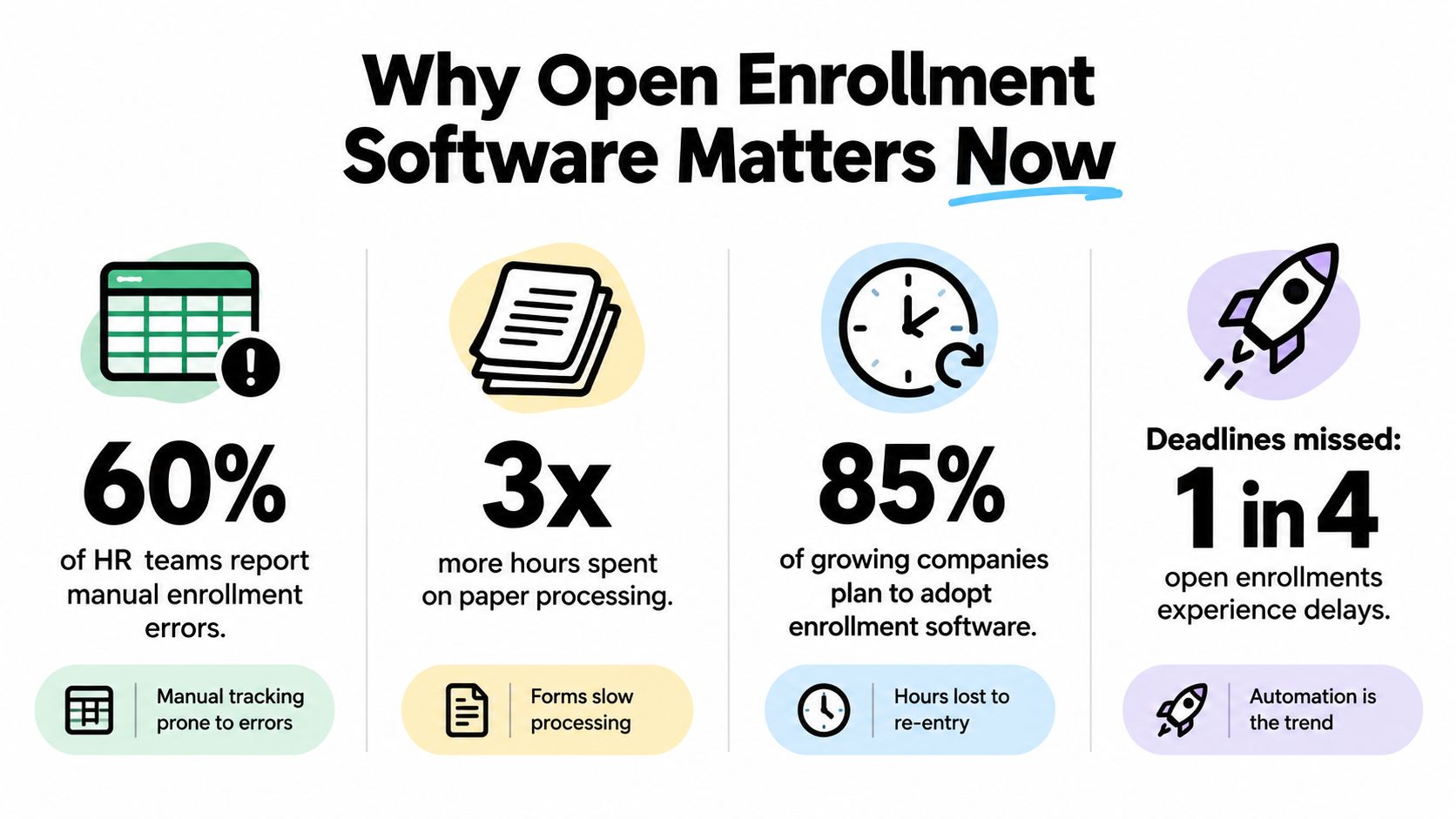
Open enrollment software matters because it can connect follow-up tasks to the original election and preserve an audit trail. The CMS report documents digital enrollment activity, but digital submission alone does not resolve unclear ownership, stale employee data, or benefits questions that surface after elections are filed. The market has moved toward systems that support the work after the enrollment window closes.
What changes for SMBs
For a small business, the practical gain is control. HR can assign follow-up work, retain decision history, and give employees a consistent place to review coverage details rather than relying on old emails or scattered carrier pages. That reduces rework without suggesting that software replaces broker judgment or carrier support.
The overlooked requirement is post-enrollment engagement. Employees still need to understand payroll deductions, qualifying life event rules, dependent changes, and where to find plan documents. A platform that keeps explanations and benefits information available throughout the year can strengthen benefits literacy, while giving HR a clearer record of what employees reviewed and changed.
Data governance determines whether that record can be trusted. Assign ownership for eligibility fields, define the authoritative system, limit access by role, and establish a process for correcting outdated records. These decisions matter when software connects employee elections with payroll and carrier files.
A sound buying decision also considers whether the platform supports follow-up communication, correction workflows, and dependable exports, not only the enrollment deadline. The F1Group HR management overview shows how enrollment fits into broader people operations.
Practical rule: if your team cannot identify who owns the latest election file in under a minute, the process is already too fragmented.
Core Features of Modern Enrollment Platforms
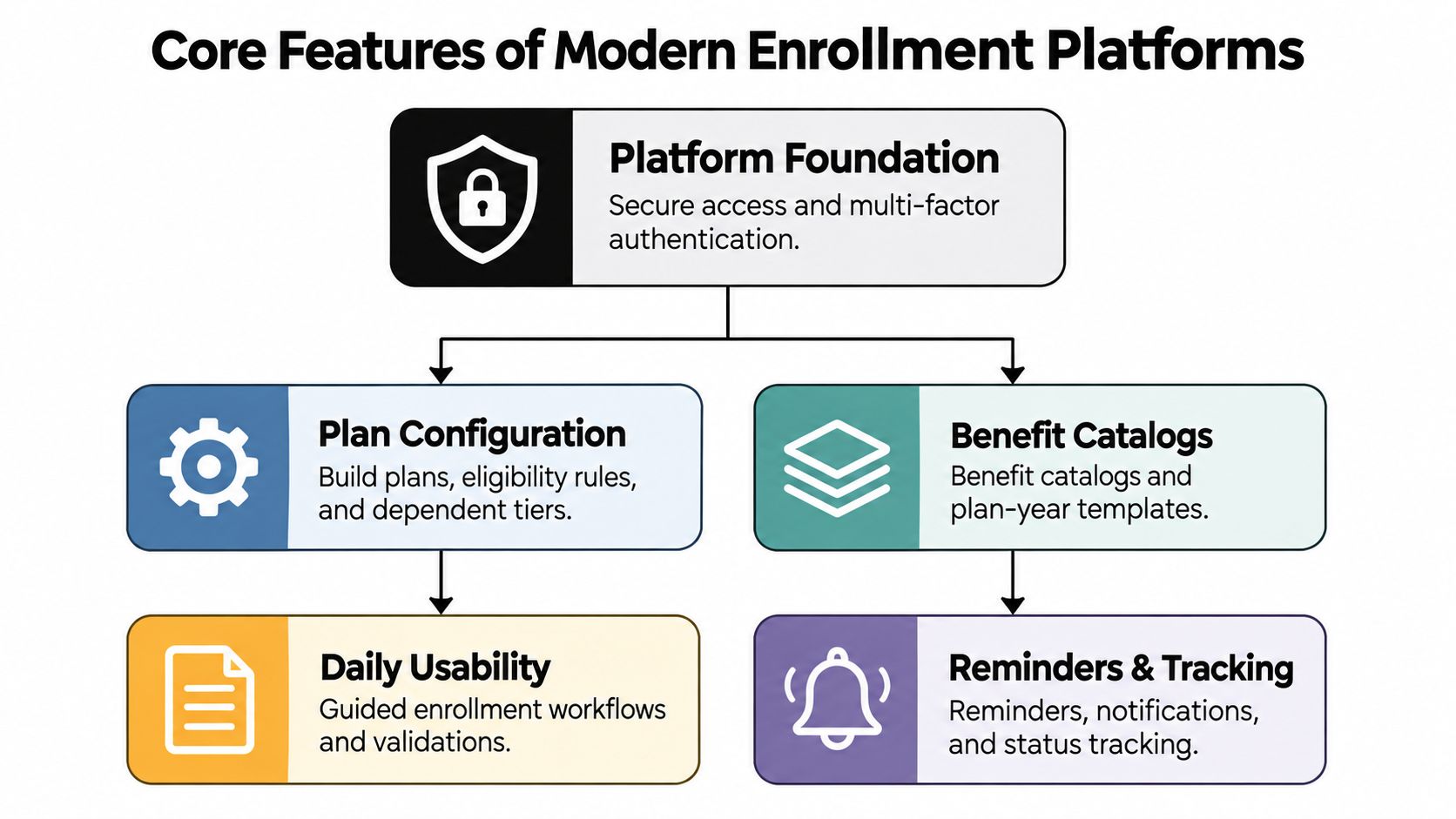
A useful platform doesn't just move paper into a browser. It gives employees a way to make better decisions and gives HR a cleaner record of what happened, when it happened, and why it happened.
Secure access before anything else
Security comes first because benefits data is sensitive by nature. NIST guidance requires enrollment systems to minimize personally identifiable information, explain why each attribute is collected, protect confidentiality and integrity, and carry out the full proofing transaction over an authenticated, protected channel (NIST guidance).
In practice, that means the platform should support role-based access, encrypted transport, and careful data retention. It should also avoid collecting more than it needs. If a system asks for broad personal data when a narrower attribute would work, that's a governance problem, not a convenience feature.
Decision support that lowers rework
The best enrollment tools don't just display plan names. They help employees compare trade-offs in plain language, surface likely mismatches, and prompt users before they make a choice they'll need to fix later. That's where reminders, eligibility logic, dependent validation, and guided workflows actually matter.
If a platform can explain why a choice is expensive, incomplete, or inconsistent before submission, HR spends less time cleaning up the aftermath.
The second layer is integration. Payroll and core HR don't need another isolated island of data. They need a system that can move elections, dependents, and status changes without breaking the record trail. Benely's employee self-service portal software is a relevant example of how employee access and administrative control can sit in the same experience.
Beyond Completion – Post-Enrollment Engagement
A finished election is not the same thing as an understood benefit. That gap is bigger than most leaders want to admit, and it's where many platforms underperform.
Only 36% of employees overall logged in to view benefits four or more times after enrollment, while a dedicated communications strategy raised that figure to 42%. At the same time, 86% of surveyed employees said they were still confused about their benefits, even though 79% felt confident in their enrollment decisions (Businessolver report).
Why completion rates can mislead
A platform can report a clean submission rate and still leave employees unsure about what they bought. That's a problem because confusion shows up later as benefit questions, missed usage, and avoidable HR follow-up.
The stronger metric is post-enrollment engagement. Did people come back to check coverage? Did they understand how to use what they selected? Did the plan choice survive contact with a real doctor visit, claim, or deductible?
What better decision support looks like
Decision support works best when it pushes the right reminder through more than one channel and uses plain language. In a randomized study of California ACA Marketplace enrollment, email reminders increased switching into eligible cost-sharing-reduction silver plans by 2 percentage points, an 11% relative increase, and combining postal mail with email increased switching by 3.9 percentage points, a 22% relative increase (Health Affairs study).
That doesn't mean every SMB needs the same reminder logic. It does mean the platform should help employees notice a mismatch, reconsider it, and correct it without creating extra admin work. A system that tracks renewal readiness, follow-up questions, and benefit use gives HR a better view than submission alone.
Comparing Deployment Models and Integration Depth
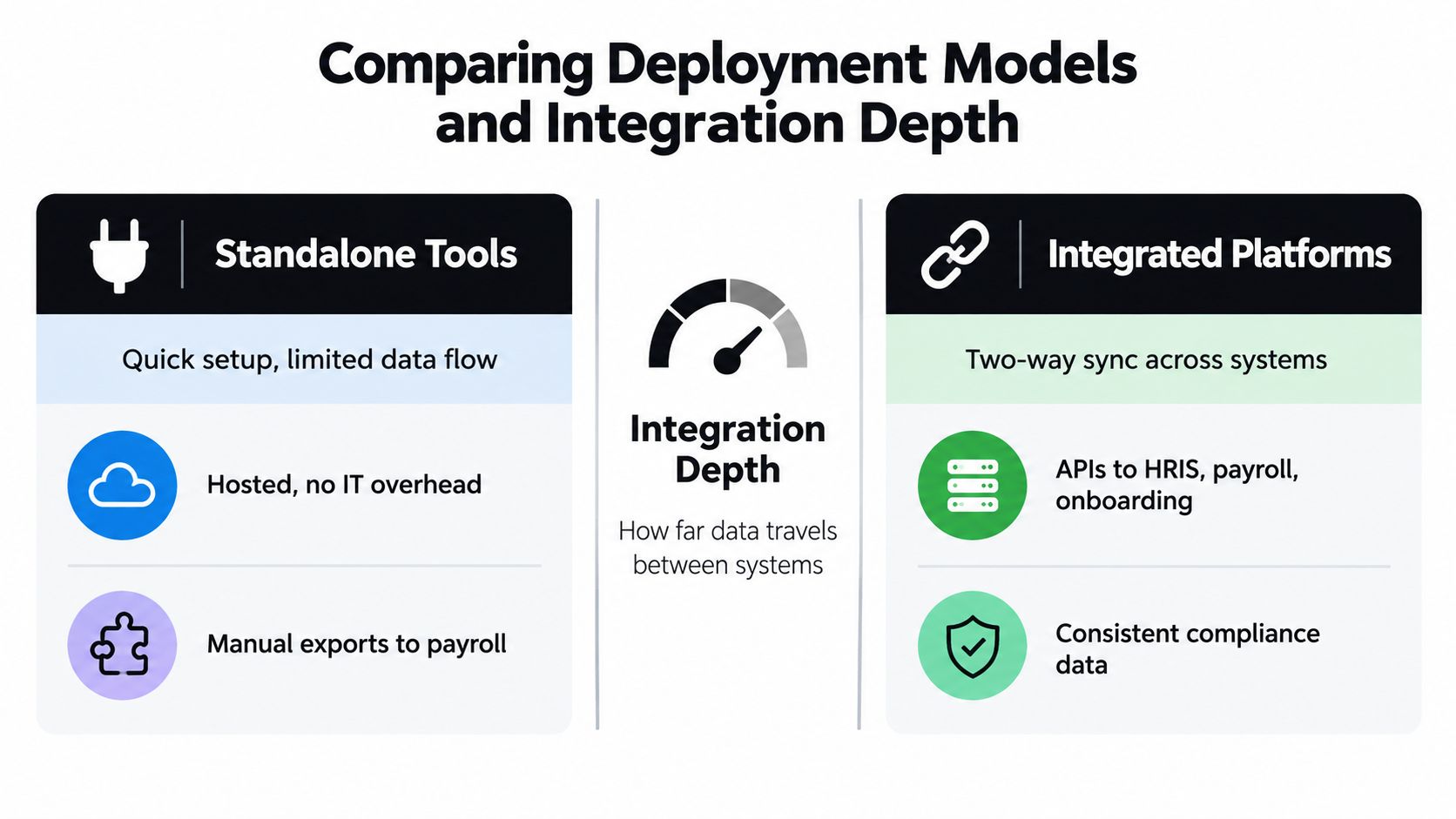
Selecting an enrollment model means deciding where administrative work will live after employees submit their elections. A standalone tool digitizes the election process. An integrated platform connects those elections with payroll, eligibility records, carrier files, and the employee's year-round benefits experience.
Standalone tools versus connected platforms
Standalone tools can launch quickly and suit a team that needs a straightforward online election flow. Their limitation appears after enrollment. Data often leaves through exports, so someone must reconcile payroll deductions, eligibility changes, carrier records, and employee questions by hand.
Integrated platforms require more configuration and testing, but they can reduce handoffs and keep records connected. Benefits leaders in a 2025 survey reported spending an average of 22 hours per week on benefits-related administrative work, with enrollment cited as the largest workload category at 55% (Collective Health survey). The choice therefore depends on workflow ownership, not software access alone.
A connected system should also support benefits literacy after the election window closes. Employees may need to confirm coverage, understand a deductible, or find the right resource months later. That requires governed data, clear version history, and content that stays aligned with the plans offered.
What to look for in integration depth
Evaluate how far data travels without breaking. Does the platform sync in both directions with payroll? Does it preserve an audit history when a file fails? Can administrators resolve exceptions without rebuilding records in spreadsheets? Can employees access current plan information without creating another HR ticket?
For teams comparing models, this guide to employee benefits administration outsourcing frames the operational question clearly: who owns the work after the software is live?
Buy for the workflow you have, not the demo you saw. A polished interface cannot fix weak reconciliation or outdated benefits information when manual exports remain part of every cycle.
How Enrollment Connects to Payroll and Compliance
The front door of enrollment is not where the danger lies; it happens afterward. The core issue arises when the election has been made, particularly if payroll deductions, carrier files, and compliance records must all be reconciled.

Treasury guidance says a cafeteria plan must be in writing and specifically describe covered benefits, eligibility rules, election procedures, and employer contributions, with elections generally irrevocable after the deadline unless the plan includes optional change provisions (Treasury guidance). That makes the original election record important, not disposable.
Why auditability matters
If an employee changes status midyear, software can't guess the answer. The system has to apply the employer's written plan rules, preserve the original election, and keep evidence that supports the change. That includes the timing of the request, the approval path, and the downstream record in payroll and carrier feeds.
The IRS also says employers aren't required to offer every optional cafeteria-plan election change, and the written plan has to contain the relevant provisions before they can be applied (IRS guidance). If your platform can't show how a decision was made, it's harder to defend later.
The compliance loop, not a one-time event
Open enrollment also intersects with effective-date rules. IRS guidance allows certain prospective revocations tied to other minimum essential coverage, but the replacement coverage has to meet timing limits and the revocation can't operate retroactively (IRS guidance). That means the software has to do more than accept a click. It has to verify the rule, record the reason, and route the change correctly.
For a practical compliance framework, the ACA reporting requirements guide helps connect enrollment decisions to the year-end obligations that follow. If your team is also tightening data security practices, the Jumpstart Partners founder's guide is a useful reference for the broader control environment.
How to Evaluate and Choose the Right Platform
Start with the mess you already have, not the feature list a vendor wants to sell. The right platform for a 40-person company with one HR generalist looks very different from the right platform for a fast-growing firm with multiple locations and recurring life-event changes.
A practical checklist for demos
- Integration depth: Ask how the platform handles a conflict between an enrollment file and payroll deductions, and whether it can show the correction trail.
- Data governance: Ask where change-in-status elections are recorded, who can edit them, and what is preserved for audit review.
- Post-enrollment engagement: Ask whether the system can send reminders, flag likely mismatches, and measure repeat logins after enrollment.
- Compliance support: Ask how the platform stores the original election, documents exceptions, and supports written plan rules.
- Vendor support: Ask who helps when a carrier file rejects, and how fast the team can recover without reconstructing the record manually.
Questions that expose real differences
A good demo should show recovery as clearly as it shows enrollment. If a vendor can't explain how a dependent error gets corrected, or how audit evidence is exported without a spreadsheet rebuild, the platform may be slick but fragile.
For teams that still rely on document-heavy workflows, free HR document tools can help with intake and filing discipline while the broader benefits stack is being modernized. The right system should reduce that manual dependence over time, not freeze it into the software.
Choose for fit and growth
The best platform is the one that aligns with your current workflow and the next stage of growth. If the software can't connect cleanly to payroll, can't show why a change was allowed, or can't keep employees engaged after enrollment closes, it's only solving half the problem.
Implementing Enrollment Software with Benely
Benely brings enrollment, payroll, onboarding, and compliance into one connected experience for SMBs that don't want to stitch benefits together from separate tools. Its centralized platform lets companies compare more than 4,000 health plans from top carriers, automate enrollments, and track progress in days instead of weeks, while certified HR specialists help keep the process on track.
That matters because open enrollment is rarely a software-only problem. It's a coordination problem, and Benely is built around that reality. When a business also needs a PEO path, the platform can surface those options in the same place, which keeps plan design, cost control, and administration in one conversation.
The practical value is simple. Employees get a clearer place to choose benefits, HR gets fewer handoffs, and leadership gets a process that's easier to explain and easier to repeat. If you're ready to modernize benefits without adding more chaos, visit Benely and see how a connected enrollment process can work for your team.