 Employee Benefits
 HR & Compliance
 Technology
 Wellness
 PEO Solutions
A benefits statement is an employee-facing record showing what benefits you have, what you pay, what your employer pays, and what actions or limits apply. It isn't the same as an ERISA Summary Plan Description, which is the formal document explaining the plan's rules, rights, eligibility, and claims procedures.
You may have met the problem on a new hire's first day. Someone opens a benefits PDF between onboarding forms, sees medical plan names, payroll deductions, retirement elections, and unfamiliar terms, then asks the only question that matters: “What does this mean for me?”
A useful statement answers that question quickly. It turns complicated plan data into a clear decision aid, so an employee can understand coverage, cost, eligibility, deadlines, and next steps without mistaking a summary for the controlling legal document.
Table of Contents
- The Benefits Statement in Plain English
- Benefits Statement vs Summary Plan Description
- Core Components Every Statement Should Include
- Sample Statements for Common Benefit Types
- Frequency, Personalization, and Delivery Channels
- Best Practices for HR Teams Building and Delivering Statements
- Measuring Outcomes and Frequently Asked Questions
The Benefits Statement in Plain English
A benefits statement is a structured, employee-facing view of a person's benefits. It brings together plan elections, employee costs, employer-paid value, coverage details, eligibility, limits, and effective dates in one place.
That definition matters because employees don't experience benefits as abstract plan design. They experience a payroll deduction, a deductible, a retirement contribution, a dependent election, or a deadline after a qualifying life event. The statement should translate the employer's plan into those practical terms.
What employees should be able to answer
After reading the statement, an employee should be able to answer:
- What do I have? The statement should identify the selected medical, dental, vision, retirement, paid time off, or other applicable benefits.
- What does it cost me? Employee payroll deductions should be clearly separated from employer contributions.
- What does my employer provide? Employer-paid value belongs on the statement, but it shouldn't look like cash wages.
- What limits or obligations apply? Employees need to see deductibles, copays, coinsurance, out-of-pocket maximums, vesting, eligibility rules, or action deadlines.
- What should I do next? A statement might direct the employee to confirm a dependent, review a plan document, update a beneficiary, or contact HR.
A statement isn't a replacement for the legal plan document. Under ERISA, plan administrators generally must provide the Summary Plan Description within 90 days after an employee becomes a participant, while a newly established plan generally has up to 120 days to distribute it, as explained by the U.S. Department of Labor's health plan information guidance. HR teams managing connected reporting obligations may also benefit from this overview of healthcare reporting rules and timelines.
Practical rule: If an employee can see the benefit but can't tell what to do with the information, the statement is incomplete.
For HR teams, the practical work is controlling the data behind the document. A benefits administration platform or a carefully designed total reward statement can connect plan elections, payroll, employer contributions, and employee communications without forcing HR to rebuild the same explanation each plan year. The measure of success isn't whether the PDF was generated. It's whether the employee made a more informed decision.
Benefits Statement vs Summary Plan Description
HR teams often use these terms interchangeably, but they solve different problems. The Summary Plan Description, or SPD, is the rulebook. The benefits statement is the employee's personalized scoreboard.
The SPD explains how the plan operates, who is eligible, how benefits are calculated, how vesting works, how claims are handled, and what rights and responsibilities participants have. The benefits statement shows the employee's current position, such as the plan elected, the employee contribution, the employer contribution, and relevant limits.
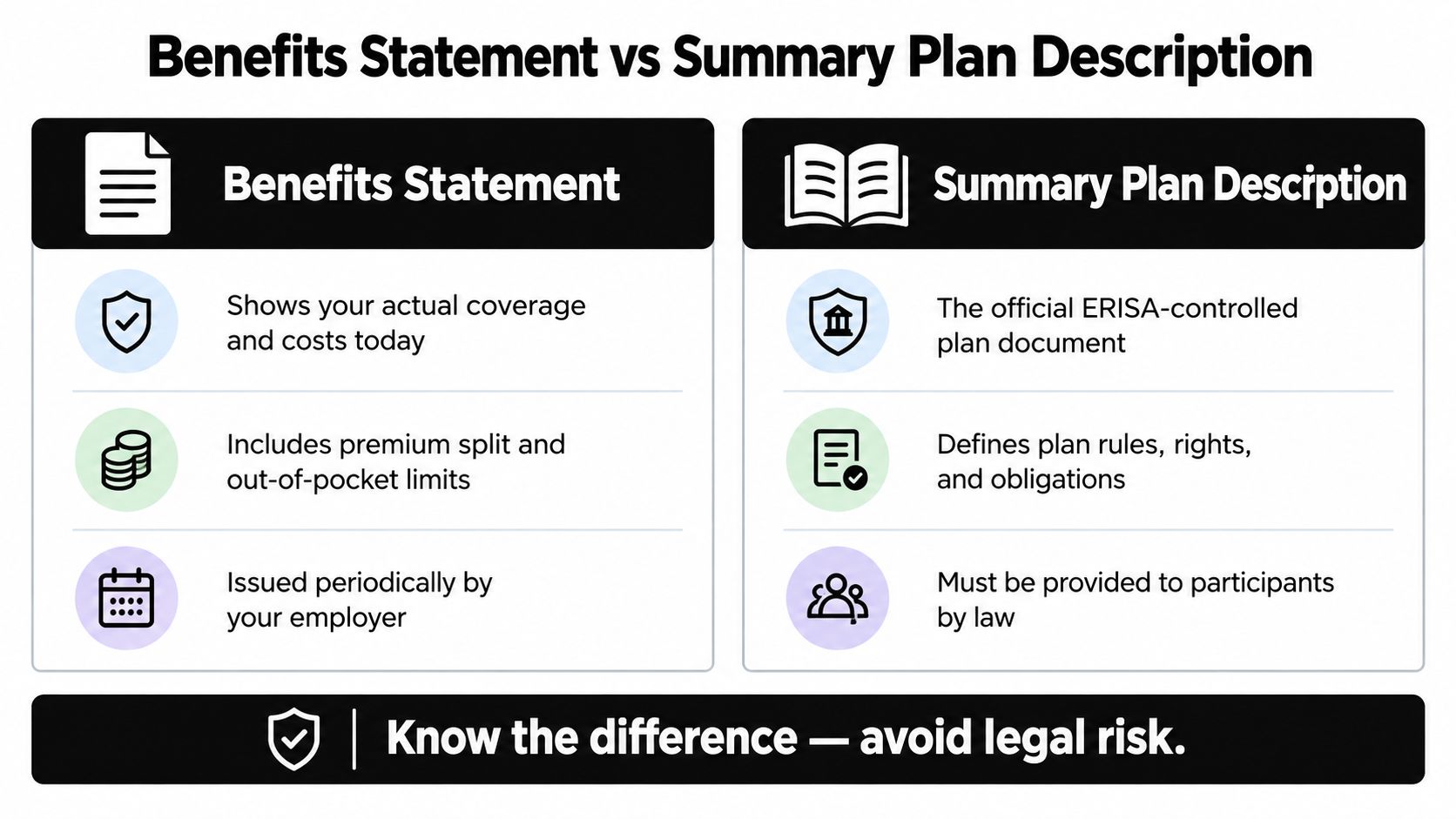
Which document answers which question
Use the benefits statement for questions such as:
- Which medical plan did I elect?
- How much comes out of each paycheck?
- How much does the employer contribute?
- What coverage tier applies to me?
- When does the coverage begin?
- What deductible or out-of-pocket limit should I review?
Use the SPD for questions such as:
- Am I eligible under the governing plan rules?
- How does the plan define a covered claim?
- What are the formal claims and appeals procedures?
- How does vesting work?
- What payment forms or rights apply?
The U.S. Department of Labor says an SPD must accurately reflect current plan terms and generally can't describe information more than 120 days out of date at initial disclosure, according to its reporting and disclosure guide for employee benefit plans. When a plan changes materially, participants may also receive a Summary of Material Modifications, which communicates changes to the existing plan rules.
That distinction protects both sides. Employees get a readable summary, while HR avoids presenting a personalized snapshot as though it were the document that controls eligibility, claims, or plan operation. Teams reviewing retirement offerings can also compare small employer retirement plan options while keeping the SPD and employee statement roles separate.
For a plain-language explanation of the formal document, see what a Summary Plan Description is. The rest of this guide focuses on the personalized benefits statement.
Core Components Every Statement Should Include
A strong statement has a predictable architecture. Employees shouldn't have to hunt through paragraphs to find the information that affects their paycheck or coverage.
Start with identity and elections
First, identify the plan and the employee's coverage position:
- Plan identity and coverage tier. Name the plan, carrier where relevant, coverage level, and effective date. “Medical Plan A, employee plus children, effective January 1” is more useful than “health coverage.”
- Employee and dependent elections. Show who is enrolled and distinguish employee-only coverage from spouse, child, or family coverage.
- Payroll deductions. Display the employee's contribution using the same terminology and pay frequency that payroll uses. A monthly amount can be accompanied by a per-paycheck amount if the payroll schedule supports it.
Separate employer value from employee cost
Consider a fictional monthly premium of $480. The statement could show $120 employee contribution and $360 employer contribution, with the total premium value displayed separately. The employer-paid amount should be visible because it represents part of the compensation package, but it must not be presented as cash compensation.
For U.S. employer-sponsored health coverage, employers subject to ACA reporting must report the cost of employer-sponsored group health coverage in Form W-2 Box 12 using Code DD, including both employer and employee portions, according to the IRS guidance on Form W-2 reporting. The reported figure is informational, not taxable wages merely because it appears on the form.
Show limits, dates, and action
A useful statement also includes deductibles, copays, coinsurance, out-of-pocket maximums, vesting information where relevant, enrollment dates, termination dates, and a plain-language action box. Each field should have an owner and a source system.
| Component | Example owner | Source system |
|---|---|---|
| Plan identity | Benefits administrator | Benefits platform or carrier file |
| Employee election | Employee and HR | Enrollment system |
| Payroll deduction | Payroll administrator | Payroll system |
| Employer-paid value | Finance or benefits team | Payroll and plan-rate records |
| Coverage limits | Carrier or plan administrator | Plan documents and carrier data |
| Effective dates and actions | HR or benefits administrator | HRIS and enrollment workflow |
This separation creates an audit trail. HR can compare elections with payroll deductions, employer contributions with approved rates, and enrollment records with carrier invoices. It also makes version control possible when premiums, networks, deductibles, eligibility rules, or effective dates change.
Sample Statements for Common Benefit Types
The easiest way to understand a benefits statement is to see how the same structure adapts across benefit categories. The employee should recognize the benefit, the personal cost or value, the key limitation, and the next action.
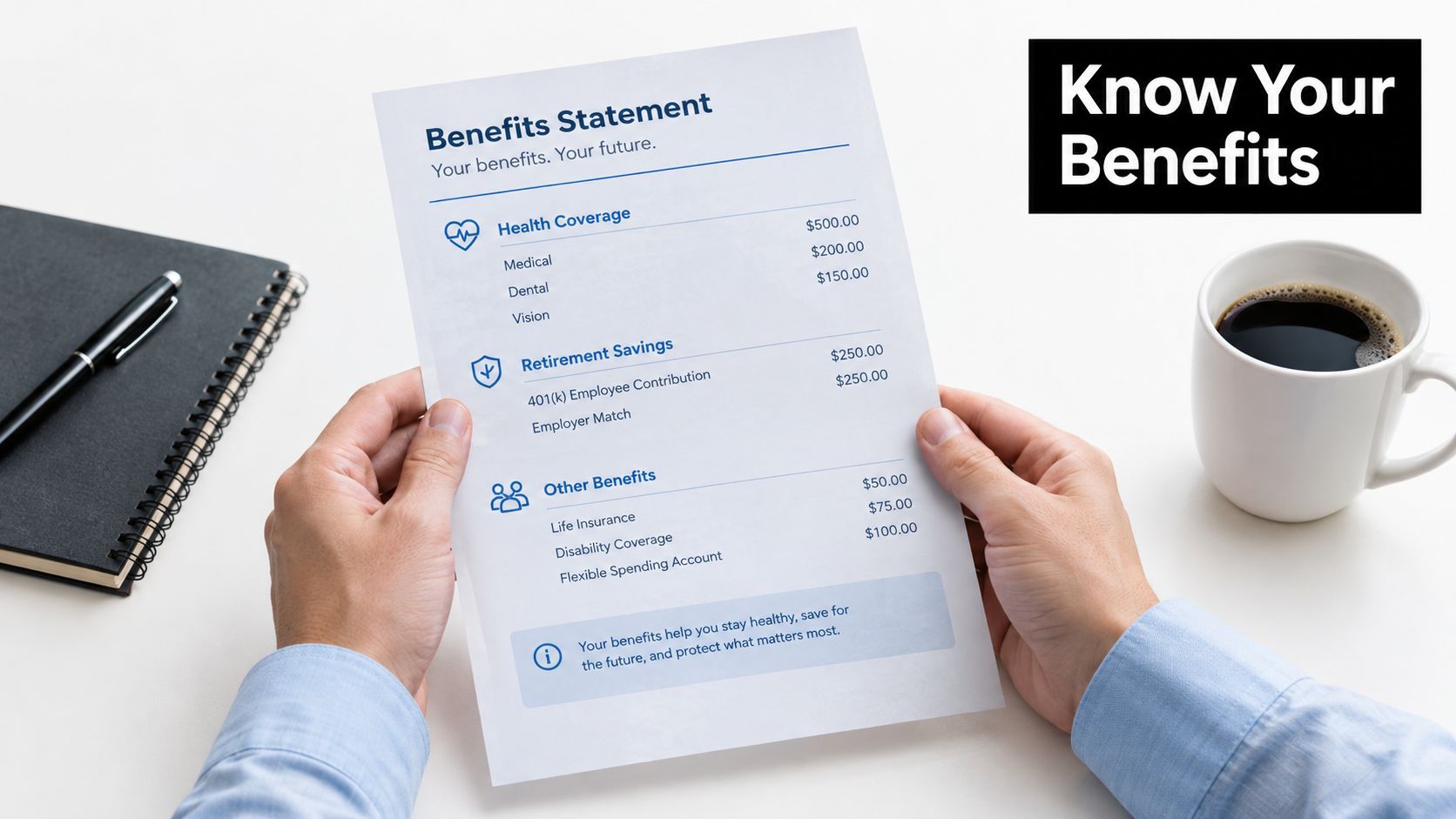
| Benefit type | Employee-facing line | What the employee needs to understand |
|---|---|---|
| Health coverage | Medical plan, family tier, employee premium, employer premium, deductible, out-of-pocket maximum | What coverage is active, what the employee pays, and what cost-sharing limits apply |
| Retirement | Employee deferral, employer contribution or match, vesting status | What the employee contributes, what the employer adds, and what portion is vested |
| Paid time off | Accrual rate, current balance, carryover rule, applicable eligibility | How time off accumulates and what happens to unused hours |
| Lifestyle perks | Wellness credit or stipend, eligibility, reimbursement deadline | What the benefit covers and what action is required to use it |
Retirement statements deserve especially careful wording. The U.S. Department of Labor notes that by 1979, 87% of full-time employees at medium and large private firms participated in a retirement plan, typically a defined-benefit plan, as described in its history of participant benefit statements. That history helps explain why retirement communication connects plan rules with personal information such as contributions, vesting, and projected benefits. Employees who need a primer can review these types of pension plans explained.
A good visual hierarchy gives employer-paid value enough weight to be noticed without confusing it with wages. For example, the health section can place employee premium and employer premium in adjacent rows, while the retirement section can distinguish the employee deferral from the employer match and then show vesting separately.
The same principle applies to paid time off and lifestyle benefits. “Wellness benefit” is too vague. “Eligible wellness reimbursement, submit documentation through the employee portal” tells the employee what the benefit is and what to do.
A digital version can also connect each line to the authoritative plan document, carrier resource, payroll explanation, or enrollment workflow. A printed version should provide a short URL or clear HR contact route.
Frequency, Personalization, and Delivery Channels
A benefits statement becomes useful when it arrives close to a decision. Sending one static PDF during open enrollment misses the moments when employees need benefit information.
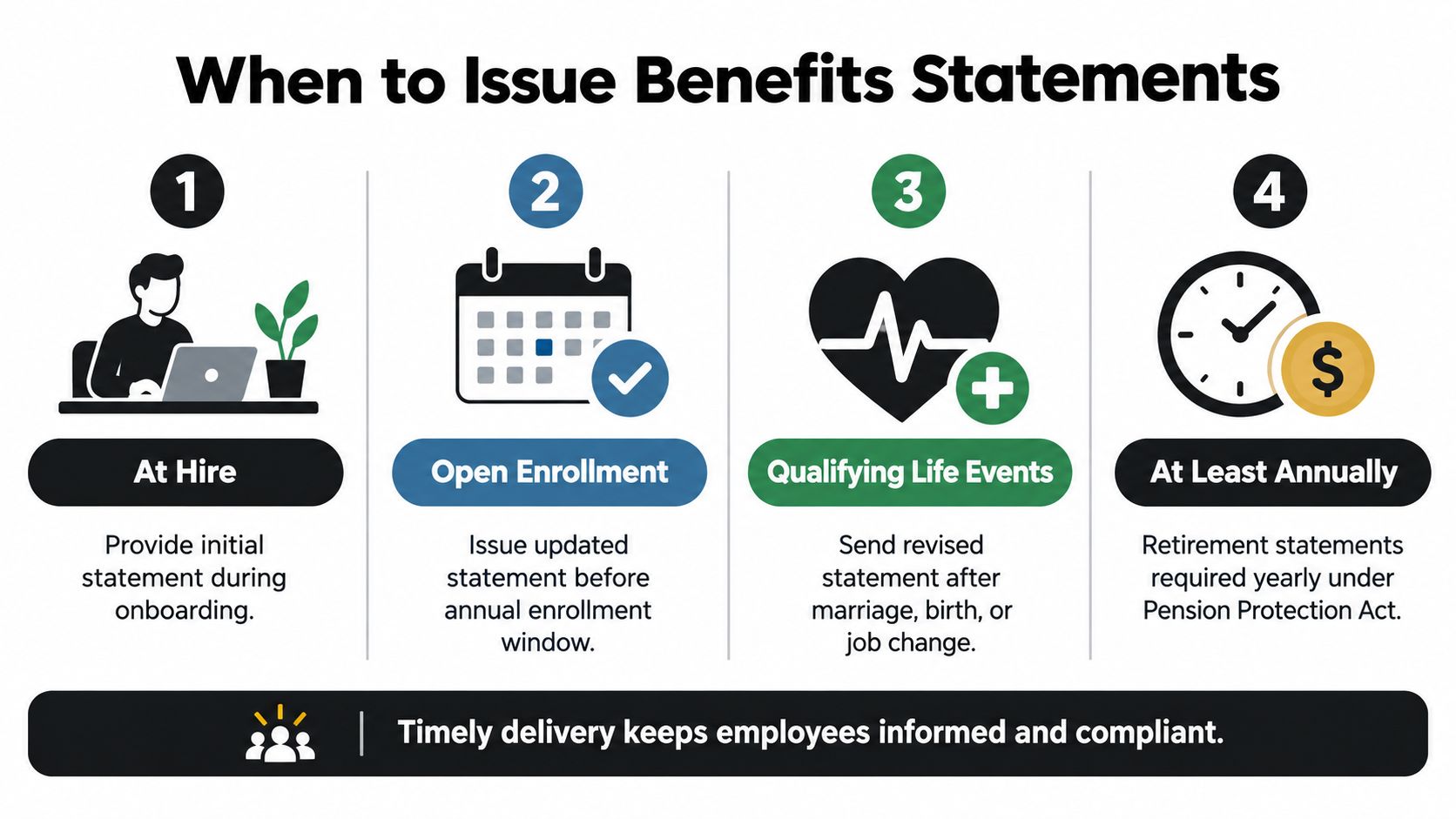
Issue or refresh the statement when an employee is hired, during open enrollment, after a qualifying life event, and when a material plan change affects the employee's coverage or cost. Retirement communication has its own disclosure framework. The Pension Protection Act of 2006 generally allowed retirement plans to provide participant statements every three years, or to notify participants annually of their right to request a statement, as described by the Department of Labor's participant benefit statement history.
Match delivery to employee behavior
Personalization doesn't mean adding decorative details. It means showing the information that changes the employee's decision.
- At hire: Show the initial elections, coverage start dates, payroll deductions, and enrollment actions.
- At open enrollment: Show current elections beside available alternatives, with changes clearly marked.
- After a qualifying life event: Recalculate coverage, dependent elections, costs, and deadlines.
- For retirement reviews: Show contributions, employer contributions, vesting, and the location of the governing plan information.
Use more than one channel when necessary. A secure employee portal can host the current statement, email can announce its availability, and a short HR session can explain terms employees routinely misunderstand. Keep the formal SPD accessible alongside the summary, rather than burying it in a separate system.
LIMRA reported in 2025 that only 53% of workers said their employer conveyed benefits information very or extremely well, while employees who received total compensation statements reported better understanding of insurance and retirement plans, according to its employee benefits communication findings. The implication is practical: more pages won't automatically produce better decisions. Clear labels, personalized examples, and timely delivery matter more than document volume.
Employees don't need every plan detail on the first screen. They need the right detail at the moment they must choose or act.
Best Practices for HR Teams Building and Delivering Statements
The statement should be the visible result of clean benefits administration. If HR starts with a spreadsheet assembled by hand, errors can enter before the document reaches the employee.
Build control into the workflow
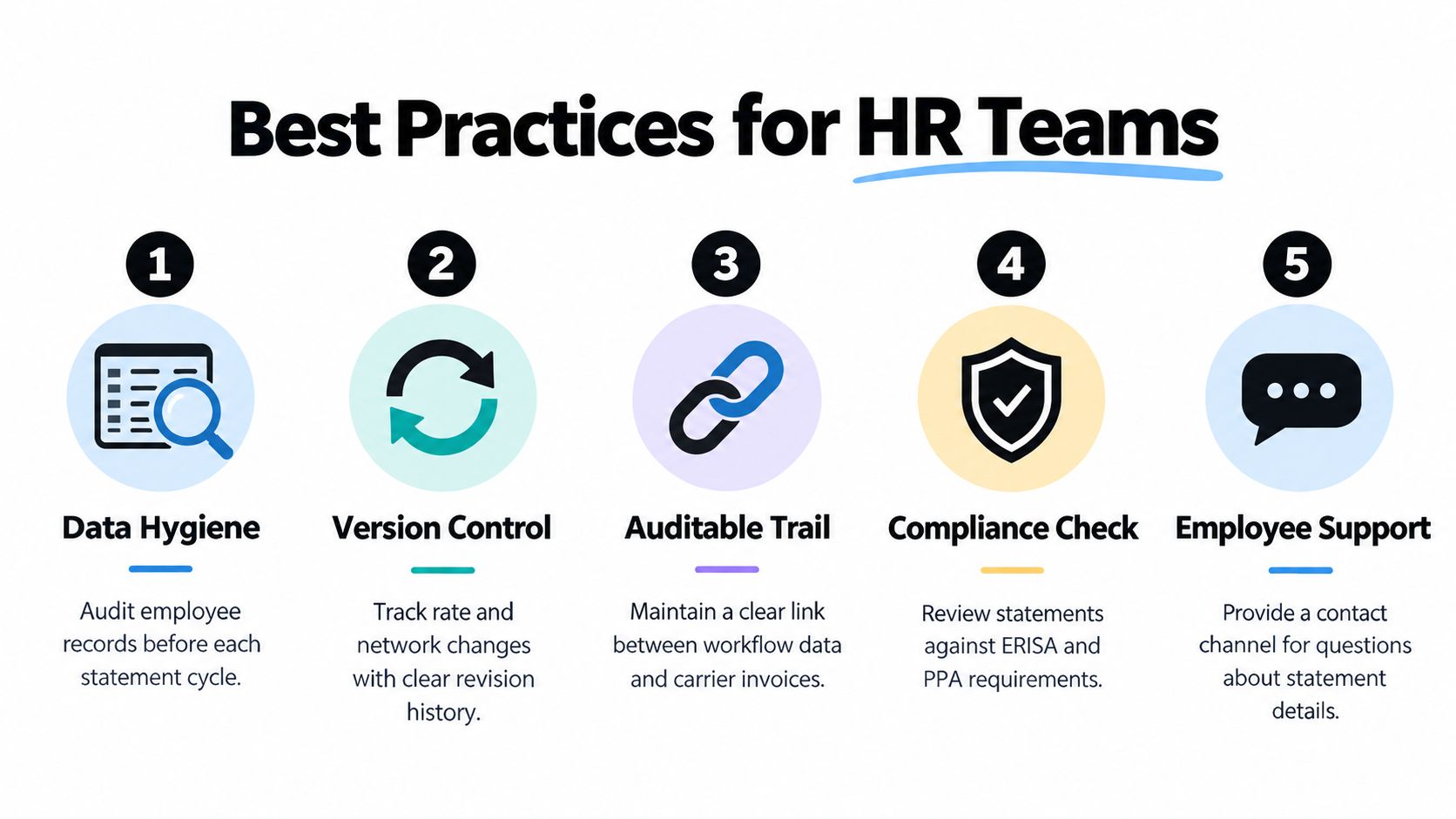
Use a repeatable operating process:
- Clean the data: Reconcile employee status, dependents, elections, rates, effective dates, and payroll deductions before generating statements.
- Control versions: Record changes to premiums, deductibles, networks, eligibility rules, and plan terms. Don't overwrite the prior version without preserving the revision history.
- Maintain an audit trail: Keep a clear connection between enrollment data, payroll output, carrier invoices, and the statement delivered to the employee.
- Check the legal route: Use the benefits statement for personalized clarity, then direct employees to the SPD for controlling eligibility, vesting, claims, and plan-operation questions.
- Support access: Provide readable typography, logical headings, accessible digital files, secure delivery, and a contact channel for questions.
Keep the employee's task visible
Every section should answer one of three questions: what do I have, what does it cost, or what should I do? If a term is unavoidable, define it near the first use. If a rule depends on the SPD or another formal document, say so directly instead of compressing a legal condition into a misleading sentence.
Personally identifiable information also needs protection. Use authenticated access for digital statements, limit unnecessary personal details, and establish a process for correcting an inaccurate record.
For teams formalizing the process, benefits administration training can help administrators connect enrollment workflows, payroll reconciliation, compliance review, and employee communication. The technology matters, but the operating discipline matters more. A reliable statement is a byproduct of controlled data, not a cosmetic document created at the end of the cycle.
Measuring Outcomes and Frequently Asked Questions
A benefits statement succeeds when an employee can use it to make a sound decision without asking HR to translate every line. Measure that outcome through enrollment completion, decision-tool usage, comprehension checks, questions routed to HR, correction requests, and retention signals. Read these measures together. High enrollment completion alongside weak comprehension can mean employees clicked through the process without understanding their choices.
One employee survey reported that many participants did not fully understand their benefits options, had experienced benefits regret, or had used a decision tool, according to a 2025 survey by Business Group on Health. The practical lesson is clear: comprehension belongs in the performance review for benefits communications. A statement should help people identify what they have, what it costs, and which action comes next.
Common questions from employees and HR
Is a benefits statement the same as a W-2?
No. A benefits statement summarizes coverage, elections, costs, employer-paid value, and related actions. A W-2 reports wages and tax information. For applicable employer-sponsored health coverage, the W-2 may show the informational cost of coverage in Box 12 using Code DD. That entry does not make the W-2 a benefits statement.
Is a benefits statement the same as an SPD?
No. The SPD is the formal plan document covering governing rules, rights, eligibility, claims procedures, vesting, and plan operation. The benefits statement is a personalized summary built for employee use. If the two appear inconsistent, HR should investigate the data and direct the employee to the controlling plan document for legal interpretation.
How often should the statement be refreshed?
Refresh it when elections, costs, eligibility, coverage, or effective dates change. A year-round process is more useful than treating the statement as an annual handout. Retirement plans also follow their applicable disclosure cadence.
Are small employers exempt from every disclosure?
No universal answer covers every benefit arrangement. Requirements depend on the plan, the employer, and the governing law. HR should identify the disclosures that apply instead of assuming a small workforce removes every obligation.
The right question is whether employees understood what they had, what they paid, what their employer provided, and what they needed to do next.
Benely helps employers organize benefits administration, enrollment information, payroll connections, and employee-facing benefit details in a centralized platform. Visit Benely to explore a controlled way to turn benefits data into clearer statements and better employee decisions.